Custom WordPress Plugin vs Existing Plugin: Which Should Your Business Choose?
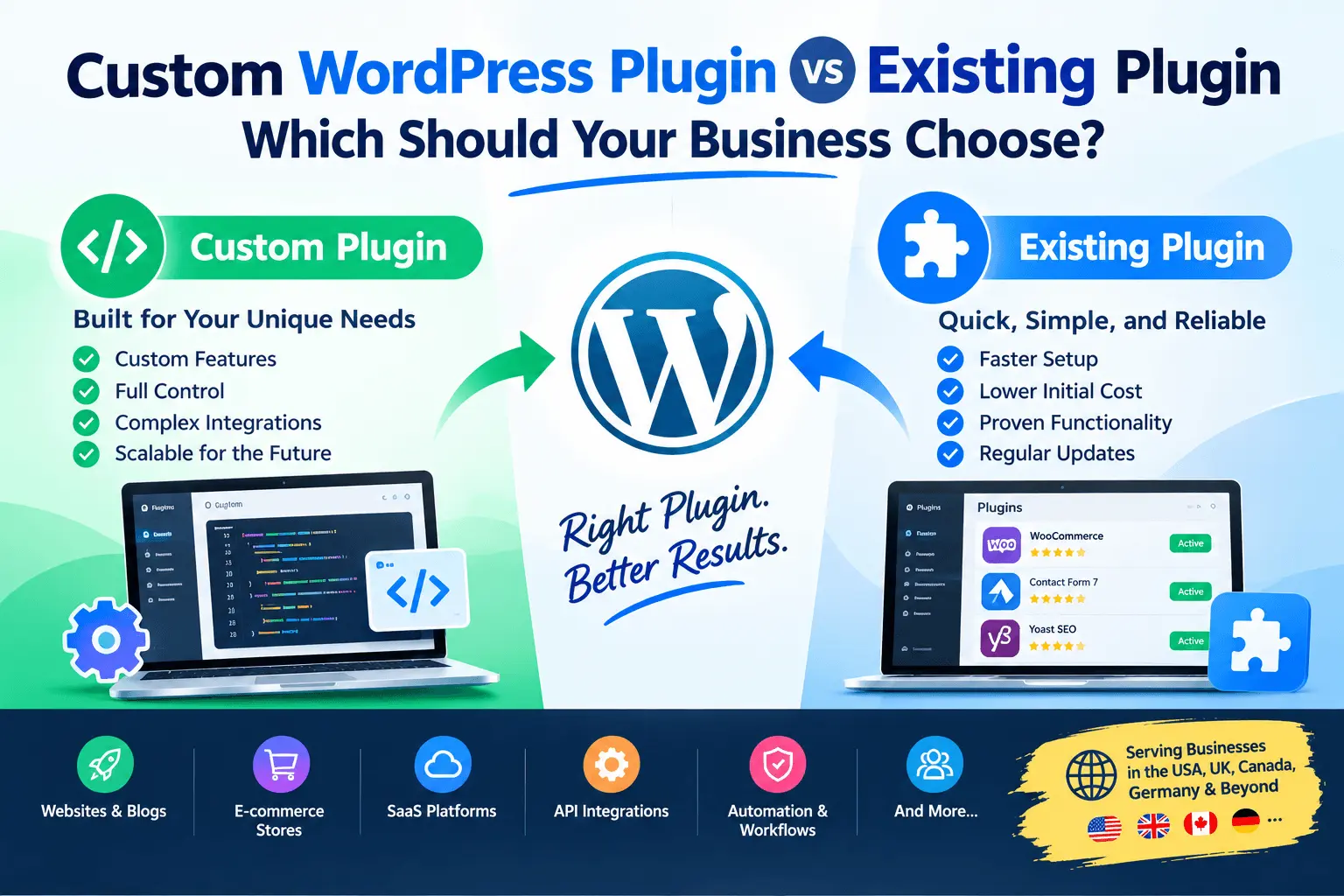
WordPress makes it possible to launch a business website quickly without building every feature from scratch. One of its biggest advantages is the huge ecosystem of existing plugins for e-commerce, forms, SEO, memberships, payments, analytics, security, bookings, and many other functions.
But as a business grows, a common question appears:
Should you install an existing WordPress plugin, customize one, or develop a completely custom plugin?
The answer depends on your requirements, budget, long-term plans, integrations, and how much control your business needs over its WordPress website.
For businesses in the USA, UK, Canada, Germany, Australia, and other international markets, choosing the right approach can help reduce unnecessary development costs while avoiding technical limitations later.
What Is a WordPress Plugin?
A WordPress plugin is a package of code that extends WordPress functionality. Plugins can add anything from a simple feature to a sophisticated business system.
For example, a plugin can provide:
- Contact forms
- WooCommerce functionality
- Membership systems
- Booking systems
- Payment integrations
- Custom dashboards
- API integrations
- Custom post types
- Automation
- Reporting
- Customer portals
- CRM functionality
WordPress itself provides a plugin architecture that allows developers to extend functionality without modifying WordPress core. WordPress recommends using plugins rather than editing core files because core files can be overwritten during WordPress updates.
Existing Plugin vs Custom Plugin
There are generally three approaches:
- Use an existing plugin without customization
- Customize or extend an existing plugin
- Develop a custom plugin from scratch
The right option depends on what your business actually needs.
| Approach | Development Cost | Flexibility | Time to Launch | Maintenance |
|---|---|---|---|---|
| Existing plugin | Usually lower | Limited by plugin | Fast | Plugin updates |
| Customize existing plugin | Moderate | High | Moderate | Custom + plugin updates |
| Custom plugin | Higher initially | Very high | Longer | Your responsibility |
There isn't one solution that is appropriate for every business.
Option 1: Use an Existing WordPress Plugin
The simplest approach is to find an existing plugin that already provides the functionality you need.
For example, suppose you need a contact form. Instead of developing a form system from scratch, you can install an established form plugin and configure it.
The same applies to many common requirements:
- Contact forms
- SEO
- Caching
- Backup
- Security
- Analytics
- SMTP
- Memberships
- Basic e-commerce
- Social sharing
- Image optimization
When an Existing Plugin Makes Sense
An existing plugin can be suitable when:
- Your requirements are standard
- The plugin provides the features you need
- You don't need complicated integrations
- The plugin is actively maintained
- It works with your WordPress version and other important plugins
- Its licensing model works for your business
This approach can significantly reduce development time.
Example
Imagine a small business in Canada needs:
- A contact form that sends inquiries to email and stores submissions.
If an established plugin already provides these features, building a custom plugin may not provide much additional value. Installing and configuring an appropriate existing plugin could be sufficient.
The Problem With Using Too Many Existing Plugins
Existing plugins can be extremely useful, but installing a plugin for every small requirement can create problems. A website might gradually become dependent on dozens of plugins.
For example:
WordPress
 │
 ├── SEO Plugin
 ├── Form Plugin
 ├── Membership Plugin
 ├── Booking Plugin
 ├── Payment Plugin
 ├── CRM Plugin
 ├── Email Plugin
 ├── Custom Fields Plugin
 ├── Automation Plugin
 ├── Reporting Plugin
 └── Custom Code
The problem isn't simply the number of plugins. The bigger issue is how those plugins interact with each other and with your business requirements.
You may eventually encounter:
- Plugin conflicts
- Compatibility problems
- Duplicate functionality
- Difficult troubleshooting
- Performance issues
- Complicated configuration
- Vendor dependency
- Limited customization
- Difficult upgrades
WordPress's developer documentation emphasizes secure coding practices for plugins, including validation, sanitization, escaping output, capability checks, and other security considerations.
Option 2: Customize an Existing Plugin
There is a middle ground between using an existing plugin exactly as it is and building everything from scratch. You can customize an existing plugin.
This can be a practical solution when an existing plugin already provides 70–90% of what you need, but your business requires additional functionality.
For example: An existing WooCommerce plugin handles your basic shipping functionality, but your business needs a custom shipping calculation based on warehouse location, product category, customer country, and order weight. Instead of replacing the entire system, a developer may be able to extend the existing functionality.
WordPress's hook system is specifically designed to allow code to interact with and modify WordPress and plugins without directly editing core functionality. WordPress documents both actions and filters as fundamental mechanisms for extending functionality.
When Should You Customize an Existing Plugin?
Customization can make sense when:
1. The Existing Plugin Already Solves Most of Your Problem
If the foundation is good, extending it may be more efficient than rebuilding everything.
2. You Need a Custom API Integration
For example:
WordPress ↓ Custom Plugin ↓ Business API ↓ CRM / ERP / SaaS
A custom integration can connect WordPress to your existing business systems.
3. You Need Custom Admin Functionality
For example:
- Custom admin dashboard
- Custom reports
- Internal management tools
- Custom settings
- Business-specific workflows
4. You Need WooCommerce Customization
Businesses frequently require custom WooCommerce functionality such as:
- Custom pricing
- Shipping calculations
- Product rules
- Checkout customization
- Payment integrations
- Order automation
- Customer-specific pricing
5. You Need Automation
For example:
Customer submits form ↓ WordPress ↓ Custom Plugin ↓ Validate customer ↓ Create CRM record ↓ Send API request ↓ Send notification
An existing plugin may not support your exact workflow.
Option 3: Develop a Custom WordPress Plugin
A custom plugin is built specifically for your business requirements. Instead of changing your business process to fit an existing plugin, the software is designed around your requirements.
A custom plugin could include:
- Custom database tables
- Custom admin panels
- Custom APIs
- REST API integrations
- Custom post types
- Custom taxonomies
- Custom forms
- WooCommerce functionality
- Membership functionality
- Payment integrations
- External API integrations
- Automated workflows
- Custom reports
- User roles and permissions
- Custom business logic
WordPress's official Plugin Handbook covers many of these capabilities, including custom post types, taxonomies, users, settings, HTTP APIs, JavaScript/AJAX, cron tasks, and security practices.
When Should Your Business Build a Custom Plugin?
A custom WordPress plugin may be appropriate when your requirements are highly specific.
1. Your Business Has Unique Workflows
Suppose a company has a workflow like:
Customer Registration ↓ Verification ↓ Document Submission ↓ Internal Review ↓ Approval ↓ Payment ↓ Certificate Generation
An existing plugin may not support the complete workflow. A custom plugin can implement the business logic specifically for that process.
2. You Need a Complex API Integration
Businesses increasingly connect WordPress to external platforms. For example:
WordPress
 │
 ├── CRM
 ├── ERP
 ├── Payment Gateway
 ├── Email Platform
 ├── Accounting Software
 ├── Shipping Platform
 └── Custom SaaS API
A custom plugin can act as the integration layer between WordPress and these systems.
3. You Need a Custom Admin Dashboard
Sometimes the WordPress dashboard isn't enough for a particular business. A custom plugin can create an administration interface containing:
- Orders
- Customers
- Applications
- Reports
- Transactions
- Approvals
- Notifications
- Business-specific statistics
4. You Need Custom Database Structures
Some applications need data structures that don't fit comfortably into standard WordPress content types. For example:
Customers ↓ Applications ↓ Documents ↓ Reviews ↓ Approvals ↓ Transactions
A custom plugin can introduce appropriate data structures and business logic.
Existing Plugin vs Custom Plugin: A Practical Comparison
| Requirement | Existing Plugin | Custom Plugin |
|---|---|---|
| Standard contact form | ✓ | Usually unnecessary |
| Basic SEO | ✓ | Usually unnecessary |
| Standard caching | ✓ | Usually unnecessary |
| Basic membership | Often suitable | Depends on requirements |
| Custom CRM integration | May require customization | ✓ |
| Complex business workflow | May be limited | ✓ |
| Custom admin dashboard | Limited | ✓ |
| Unique business logic | Limited | ✓ |
| Custom WooCommerce functionality | Sometimes | ✓ |
| Complex API integration | Sometimes | ✓ |
| Highly specialized data model | Limited | ✓ |
| Full control over functionality | Limited | ✓ |
Custom Plugin Development Doesn't Always Mean Starting From Zero
One common misconception is that you must choose between: Existing plugin OR completely custom plugin.
In reality, there are several approaches.
- Approach 1 — Configure: Use an existing plugin as-is.
- Approach 2 — Extend: Use an existing plugin and add custom functionality.
- Approach 3 — Integrate: Connect an existing plugin with another system through APIs.
- Approach 4 — Build: Develop a completely custom plugin.
- Approach 5 — Hybrid: Use several established components while developing a custom plugin for the business-specific functionality.
This hybrid approach can be particularly useful for established businesses.
What About Plugin Performance?
Performance should be considered as part of the architecture rather than simply counting plugins. A well-designed custom plugin can be more appropriate than combining several plugins to reproduce one complicated business process.
At the same time, custom development doesn't automatically mean better performance. Poorly written custom code can also create performance problems.
A professional plugin should consider:
- Database queries
- Caching
- Asset loading
- API requests
- Background processing
- AJAX requests
- Cron jobs
- Query optimization
- Error handling
WordPress's developer documentation recommends organized plugin architecture and discusses separating admin/public code and structuring larger plugins for maintainability.
Security Should Be a Major Consideration
When a plugin handles customer information, payments, authentication, or external APIs, security becomes particularly important.
Custom WordPress plugins should consider:
- Input validation
- Input sanitization
- Output escaping
- Nonces
- Capability checks
- Authentication
- Authorization
- Secure API communication
- Proper error handling
- Database security
- Access control
WordPress specifically documents sanitization, validation, escaping, nonces, and capability checks as important plugin security practices.
What About Businesses in the USA, UK, Canada and Germany?
The technical decision is generally driven by business requirements rather than country. However, businesses operating in different markets may have different integration, localization, compliance, payment, and workflow requirements.
USA
A US business might need integrations with CRM platforms, payment providers, marketing platforms, accounting systems, shipping services, and internal business software. A custom plugin can connect WordPress to those systems when existing integrations don't meet the requirements.
UK
UK businesses may require local payment integrations, booking systems, membership functionality, customer portals, business-specific automation, and CRM integrations. The appropriate solution depends on the actual business workflow.
Canada
Canadian businesses may need custom e-commerce functionality, payment integrations, CRM synchronization, customer management, multilingual or multi-region functionality, and custom business workflows. Again, an existing plugin may be sufficient for simple requirements, while more specialized requirements may justify customization.
Germany and Europe
Businesses operating in Germany and other European markets may have additional privacy and compliance requirements depending on what information the website collects and how it processes data.
For these projects, plugin selection should include reviewing data handling, third-party services, security practices, privacy requirements, vendor support, update history, and integration requirements. The technical implementation should be reviewed against the business's applicable legal and compliance requirements rather than assuming that a particular plugin automatically provides compliance.
How Much Does Custom WordPress Plugin Development Cost?
There is no universal price because plugin complexity can vary significantly.
A simple plugin might involve:
- One custom feature
- A few settings
- Basic frontend functionality
A more complex plugin might involve:
- Custom database tables
- Multiple user roles
- Admin dashboards
- REST APIs
- External integrations
- WooCommerce
- Payment systems
- Automated workflows
- Background processing
- Reporting
Therefore, the development effort should be estimated from the actual requirements rather than simply from the number of features.
A good development process usually starts with:
- Understanding the business requirement
- Reviewing the existing WordPress website
- Checking existing plugins
- Identifying available hooks/APIs
- Defining the required functionality
- Choosing between configuration, customization, integration, or custom development
- Estimating development and testing effort
How to Decide: Existing Plugin or Custom Plugin?
Ask these questions before making a decision.
Question 1: Does an existing plugin already solve the problem? Yes: Start by evaluating that plugin. No: Consider customization or custom development.
Question 2: Does the plugin support your required integrations? If your business depends on APIs, CRM, ERP, payment gateways, or other systems, check integration capabilities carefully.
Question 3: Will your requirements change? If you expect significant customization in the future, consider whether the existing plugin architecture will support those changes.
Question 4: Is the plugin actively maintained? Check recent updates, compatibility, documentation, support, security history, and development activity.
Question 5: Are you forcing your business workflow to fit the plugin? This is an important warning sign. If employees have to change their entire workflow because the plugin doesn't support your requirements, customization may be worth considering.
A Simple Decision Framework
You can use this basic framework:
Do you need a common feature?
       │
      Yes
       ↓
Does an existing plugin solve it?
 │                           │
Yes                         No
 ↓                           ↓
Use it              Can it be extended?
                     │               │
                    Yes             No
                     ↓               ↓
                 Customize        Custom
              existing plugin
The goal isn't to choose custom development simply because it sounds more powerful. The goal is to choose the simplest technical solution that properly supports the business requirement.
When Custom Plugin Development Is Worth Considering
Custom development becomes more relevant when:
- Your business has unique processes
- Existing plugins don't provide required functionality
- Multiple plugins are being combined to create one workflow
- You need custom API integrations
- You require a custom admin panel
- You need specialized database structures
- You need custom WooCommerce functionality
- You need automation
- You need long-term control over the implementation
- Your website has become an important business application
WordPress itself is designed to be extended through plugins, and its official documentation provides APIs and hooks specifically for this purpose.
Need a Custom WordPress Plugin?
If your existing WordPress plugins don't provide the functionality your business needs, I can help with custom WordPress plugin development, plugin customization, API integrations, WooCommerce functionality, custom admin panels, database integration, and business-specific WordPress solutions.
👉 I will develop custom WordPress plugins and integrations
Or explore my profile and reviews: Russel Hussain on Fiverr
Whether you're operating a business in the USA, UK, Canada, Germany, Australia, or another market, the first step is to understand your requirements and determine whether an existing plugin, customization, integration, or completely custom solution makes the most sense.
Have a WordPress functionality that existing plugins can't handle? Let's discuss the requirements.
Final Thoughts
Choosing between an existing WordPress plugin and custom plugin development shouldn't be based only on development cost.
Consider the complete picture:
Existing plugin
- Faster implementation
- Lower initial development effort
- Good for standard requirements
- Less control over functionality
Customized plugin
- More flexibility
- Reuses an existing foundation
- Useful for specialized requirements
- Requires compatibility and maintenance planning
Custom plugin
- Designed around your business
- Maximum control
- Suitable for complex workflows and integrations
- Requires more development and ongoing maintenance
For a simple business website, an existing plugin may be all you need.
For a business with specialized workflows, API integrations, custom WooCommerce functionality, customer portals, automation, or other unique requirements, custom WordPress plugin development may provide a more appropriate technical foundation.
The important thing is to evaluate the requirement first and choose the development approach afterward.