How to Choose the Right Technology Stack for Your Startup Web Application
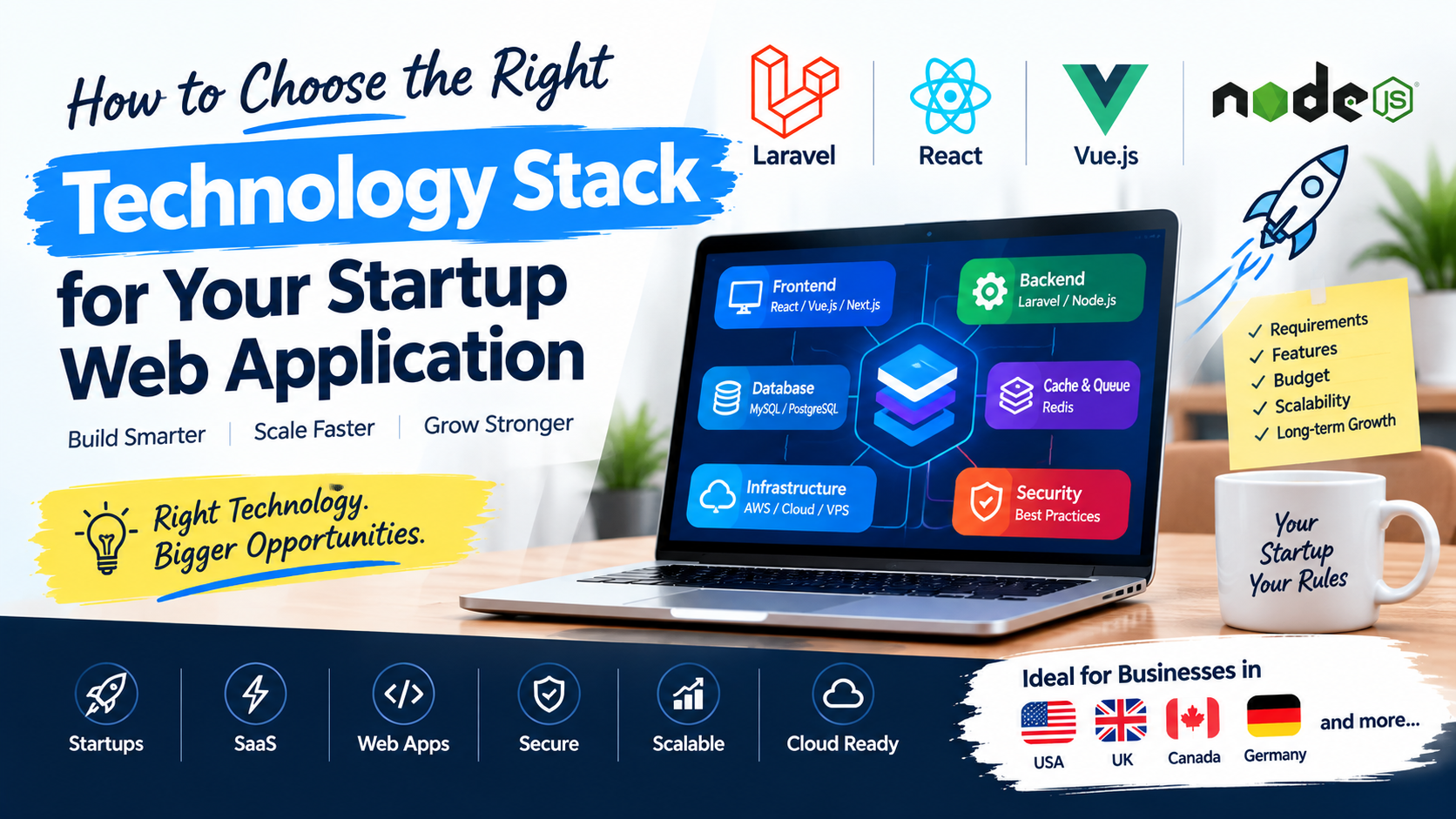
Choosing the right technology stack is one of the most important technical decisions when building a startup web application.
Whether you're launching a SaaS product, marketplace, booking platform, business dashboard, customer portal, or another web-based product, the technologies you choose can affect development speed, cost, security, scalability, maintenance, and future growth.
For startups in the USA, UK, Canada, Germany, Australia, and other international markets, the goal shouldn't be to choose the newest technology simply because it is popular.
The better question is:
Which technology stack is the right fit for our product, team, budget, users, and long-term business goals?
In this guide, we'll look at how to make that decision and why technologies such as Laravel, PHP, MySQL, React, Vue.js, Node.js, Redis, and cloud platforms can be combined to build modern startup applications.
What Is a Technology Stack?
A technology stack is the collection of programming languages, frameworks, libraries, databases, caching mechanisms, and infrastructure tools used to build and operate a web application.
A typical modern web application stack includes multiple layers:
Frontend           →  React / Vue.js / Next.js
       ↓
API / Backend      →  Laravel / Node.js
       ↓
Database           →  MySQL / PostgreSQL
       ↓
Cache / Queue      →  Redis
       ↓
Infrastructure     →  AWS / Cloud / VPS
Different applications require different combinations. A simple business application may not need the same architecture as a high-traffic SaaS platform.
The Main Components of a Startup Technology Stack
Before choosing specific technologies, understand the major components you'll need.
1. Frontend
The frontend is what users interact with directly in their web browser.
Popular choices include:
- React
- Vue.js
- Next.js
- HTML5 / CSS3 / Modern JavaScript
- Inertia.js
- Livewire
The right choice depends on how interactive and dynamic your application needs to be.
2. Backend
The backend handles the core engine and server-side operations of your platform:
- Business logic & workflows
- Authentication & Authorization
- Database operations & ORM
- REST & GraphQL APIs
- Payment processing
- Email & push notifications
- Background jobs & queue processing
- Third-party integrations
Popular backend technologies include:
- Laravel / PHP
- Node.js (Express, NestJS)
- Python (Django, FastAPI)
- Ruby on Rails
- Java (Spring Boot)
- .NET
For many business applications, Laravel provides a particularly strong combination of developer productivity, clean architecture, built-in features, and long-term scalability.
Laravel's official documentation highlights built-in features such as dependency injection, expressive database abstraction, robust queues, scheduled background jobs, automated testing, caching drivers, and full API backends.
3. Database
Your database stores and persists all critical application data.
Common choices include:
- MySQL
- PostgreSQL
- MongoDB
- MariaDB
- Redis (for caching, sessions, and high-speed data needs)
For many SaaS and business applications, MySQL or PostgreSQL is an excellent starting point. The important thing isn't simply picking the trendiest database. You should consider:
- Data relationships & relational integrity
- Query complexity & indexing
- ACID transactions
- Reporting & analytics requirements
- Scalability & connection pooling
- Developer experience & tooling
- Hosting & backup options
4. Infrastructure and Hosting
Your application needs reliable servers and networks to run smoothly.
Depending on your requirements, this could include:
- AWS (Amazon Web Services)
- Google Cloud Platform (GCP)
- Microsoft Azure
- Managed Laravel Hosting (Laravel Cloud, Forge, Vapor)
- Virtual Private Servers (DigitalOcean, Hetzner, Linode)
- Dedicated bare-metal servers
- Containerized infrastructure (Docker, Kubernetes)
A startup doesn't necessarily need complicated cloud infrastructure on day one. Starting with a relatively simple architecture and scaling it as usage grows can often be far more practical and cost-effective than building an overly complex infrastructure before you have customers.
Start With the Product, Not the Technology
One of the biggest mistakes founders and engineering teams make is starting with technology rather than business requirements.
For example:
"Should we use React or Vue?"
That's an important question, but it shouldn't be your first question. Instead, start with:
What are we building?
Then define:
- Who will use it? (Internal teams, B2B enterprise clients, B2C consumers)
- What problem does it solve?
- What are the core MVP features?
- How many active users and requests do you expect initially?
- What external integrations are required? (Stripe, HubSpot, Twilio, QuickBooks)
- Will users pay online? (Subscriptions, one-off charges, usage billing)
- Does it require real-time functionality? (Live chat, collaborative edits, instant feeds)
- Does it need companion mobile applications?
- What data will you store, and what are your regulatory & security requirements?
Only after understanding these requirements should you choose the underlying technology stack.
Step 1: Define Your MVP
Startups often don't need every feature on day one. Your first version should focus strictly on the Minimum Viable Product (MVP).
For example, imagine you're building a SaaS project-management application. Instead of spending 12 months building:
- AI assistant features
- Advanced predictive analytics
- Native mobile apps
- Enterprise SAML/SSO
- Multiple complex billing tiers
- Advanced workflow automation
- 50 third-party integrations
You might start with a lean, focused workflow:
User Registration → Organization → Projects → Tasks → Team Members → Subscription → Dashboard
This allows you to launch faster, validate the product with real users, and gather feedback before investing heavily in secondary functionality.
Step 2: Choose Your Backend
For many startups, the backend is the most important technical decision you will make.
Laravel
Laravel is an exceptionally strong option for:
- SaaS applications & multi-tenant platforms
- Business management software & ERPs
- Admin dashboards & internal tooling
- High-throughput REST APIs
- E-commerce platforms & marketplaces
- Membership & community systems
- CRM applications
- Booking & appointment engines
- Customer self-service portals
Laravel 13 is the current major release as of 2026 and requires PHP 8.3 or newer. Laravel's release policy provides bug fixes for 18 months and security fixes for two years for major releases.
Furthermore, Laravel can seamlessly serve as a headless API backend for applications built with React, Vue, Next.js, mobile apps, or third-party clients.
Why Startups Choose Laravel
Laravel provides built-in capabilities that business applications commonly need:
- Routing & Middleware with built-in rate limiting
- Authentication & Authorization (Sanctum, Passport, Policies, Gates)
- Database Migrations & Seeders
- Eloquent ORM for expressive relational queries
- Form Request Validation
- Asynchronous Queues & Event Listeners
- Automated Email & Notification Channels
- Flexible Caching & Session Management
- Task Scheduling (Cron replacement)
- Comprehensive Automated Testing Tools (Pest, PHPUnit)
This drastically reduces the amount of boilerplate infrastructure that engineers need to assemble manually, saving hundreds of development hours.
Node.js
Node.js can also be an excellent backend choice, especially when:
- Your team is heavily invested in JavaScript/TypeScript across the stack
- You need high-concurrency real-time functionality (e.g., WebSockets, chat engines)
- Your application has event-driven, I/O-intensive workloads
- You have an existing Node.js microservice ecosystem
For example:
React → Node.js / Express → PostgreSQL
This can be a very effective architecture. The choice between Laravel and Node.js should be based on your application's business requirements and your team's expertise rather than technology hype alone.
Step 3: Choose the Frontend
The frontend technology should match your target user experience and interface complexity.
React
React is a powerful choice for:
- Complex dashboards with dense data visualizations
- Feature-rich SaaS applications
- Highly interactive, state-heavy interfaces
- Large component-based design systems
Vue.js
Vue.js is an outstanding choice when you want:
- A progressive, elegant frontend framework
- A clean, approachable development model
- Component-based UI development with high performance
- Seamless integration into existing applications
Next.js
Next.js is ideal when your application requires:
- React with Server-Side Rendering (SSR) or Static Site Generation (SSG)
- Modern file-system routing and server components
- Full-stack JavaScript capabilities
- SEO-critical public-facing pages and marketing hubs
Laravel + React or Vue.js
You don't need to choose between Laravel and modern frontend frameworks—they complement each other brilliantly.
React / Vue.js ──(REST / JSON API)──→ Laravel ──→ MySQL ──→ Redis
This decoupled architecture works exceptionally well for SaaS platforms, giving you an expressive, battle-tested backend combined with a responsive, modern frontend.
Step 4: Choose Your Database
For the vast majority of startup applications, a relational database is the most sensible starting point.
MySQL
MySQL is battle-tested, widely supported, and excels at:
- Standard business applications & dashboards
- SaaS platforms
- E-commerce & billing records
- Content management systems
PostgreSQL
PostgreSQL is another powerful relational database and is a strong choice when you need:
- Complex analytical queries and window functions
- Advanced relational features and foreign keys
- Native JSONB document querying
- Geographic and spatial data (PostGIS)
MongoDB
MongoDB can make sense for unstructured or document-oriented data models. However, avoid choosing MongoDB solely on the assumption that "NoSQL automatically scales better." Relational integrity, foreign key constraints, and transactional consistency are vital for most startup business models.
Step 5: Think About Caching
As your user base grows, querying the database repeatedly for static or frequently accessed data creates unnecessary latency and server load.
User ──→ Application ──→ Cache (Redis) ──→ Database (MySQL/PostgreSQL)
Redis is widely used across modern architectures for:
- Query caching & API response caching
- Fast session storage
- High-speed message queues
- API rate limiting & throttling
- Temporary real-time counters & leaderboards
Laravel's documentation specifically highlights distributed cache systems like Redis as a core element of its horizontal scaling strategy.
Step 6: Consider Background Jobs and Queues
Not every operation should block the user's HTTP request. Long-running tasks degrade user experience if processed synchronously.
For example, when a user uploads a large file or creates an account:
Synchronous (Slow):
User Upload ──→ Process File ──→ Generate PDF Report ──→ Send Email ──→ Response (5-10s delay)

Asynchronous (Fast):
User Upload ──→ Queue Job (Instant 100ms response)
                     ↓
             Background Worker (Redis / Horizon)
                     ├── Process File
                     ├── Generate Report
                     ├── Send Email
                     └── Push Real-Time Notification
Using queues keeps your web requests snappy and allows your system to handle background bursts gracefully.
Step 7: Don't Ignore Security
Security must be part of your architecture from day one—not an afterthought added before launch.
Startup applications regularly handle sensitive assets:
- User credentials & passwords
- Customer personal data (PII)
- Credit card & subscription records
- Confidential business documents
- Third-party API keys and access tokens
The OWASP Top 10:2025 highlights key risks, including broken access control, security misconfigurations, software supply chain vulnerabilities, cryptographic failures, and injection attacks.
Key Security Requirements:
- Authentication & MFA: Secure session handling and token invalidation.
- Granular Authorization: Role-Based Access Control (RBAC) on every endpoint.
- Input Validation & Sanitization: Protecting against SQL injection and XSS.
- Encrypted Communication: Strict HTTPS/TLS enforcement.
- API Rate Limiting: Preventing brute force and DDoS abuse.
- Automated Dependency Auditing: Keeping packages patched and up to date.
- Automated Backups & Disaster Recovery Plans.
Step 8: Think About Scalability — But Don't Overengineer
A startup application should be designed so that it can scale, but that does not mean you should build a complex distributed microservices architecture on day one.
There is a huge difference between:
- Designing for scalability (Clean code, database indexing, caching, decoupled background queues)
- Overengineering prematurely (Splitting an MVP into 15 microservices before having paying users)
For most startups, a modular monolith is the most practical and velocity-friendly architecture.
                    Laravel Modular Monolith
                               │
            ┌──────────────────┼──────────────────┐
            ↓                  ↓                  ↓
       User Module       Billing Module     Project Module
            │                  │                  │
            └──────────────────┼──────────────────┘
                               ↓
                             MySQL
                               ↓
                             Redis
Modular Monolith vs. Microservices
| Factor | Modular Monolith | Microservices |
|---|---|---|
| Development Speed | Fast (Single codebase) | Slower (Multiple repos, APIs, contracts) |
| Deployment Complexity | Simple (Single CI/CD pipeline) | High (Kubernetes, service meshes, orchestration) |
| Infrastructure Cost | Low to moderate | High (Multiple servers, gateways, monitoring) |
| Debugging & Tracing | Straightforward | Complex (Distributed tracing required) |
| Best Suited For | Early-stage startups & growing SaaS | Large organizations with distinct engineering teams |
Step 9: Consider Your Development Team
Your team's existing expertise should heavily influence your technology choice:
- Team with strong PHP / Laravel experience: A Laravel + Blade / Vue stack allows immediate velocity.
- Team with strong TypeScript / JavaScript experience: A React + Node.js / Next.js stack fits naturally.
- Team with deep Python experience: Django or FastAPI could be the fastest route to market.
The "best" technology is the one your team can develop, debug, maintain, and ship with confidence.
Step 10: Consider Hiring and Long-Term Maintenance
Your startup won't only need developers to build Version 1. Over the coming years, you will need to:
- Squash edge-case bugs
- Ship new features quickly
- Upgrade framework dependencies
- Onboard new engineers
- Maintain server infrastructure
Choosing widely adopted, well-documented technologies with large global developer communities (such as Laravel, React, Node.js, and MySQL) protects your company against hiring bottlenecks down the road.
Step 11: Consider Your Budget
Technology choices affect development costs, but licensing is rarely the main expense—developer time is.
The biggest budget factors include:
- Scope and complexity of the MVP
- Number of third-party API integrations
- Custom UI/UX design requirements
- Automated testing and security hardening
- Ongoing server and infrastructure hosting
A clean, structured framework like Laravel allows a single skilled developer to build what might otherwise require multiple specialized engineers.
Technology Stack Examples for Startups
Here are four battle-tested combinations suited for different startup scenarios:
Stack 1: Laravel + Blade + MySQL + Redis
- Best for: Internal business tools, portals, content-driven platforms, and rapid MVPs.
- Why: Maximum development speed with minimal frontend overhead.
Stack 2: Laravel (API) + React + MySQL + Redis
- Best for: Complex SaaS platforms, dynamic customer dashboards, and interactive web apps.
- Why: Robust backend paired with a flexible, component-driven UI.
Stack 3: Laravel + Vue.js + MySQL + Redis
- Best for: Modern business platforms, SaaS applications, and interactive workflows.
- Why: Clean, approachable frontend architecture integrated seamlessly with Laravel.
Stack 4: React + Node.js + PostgreSQL + Redis
- Best for: JavaScript-first teams, real-time collaboration tools, and high-concurrency event apps.
- Why: Unified language across frontend and backend.
What Technology Stack Would I Recommend for a Typical SaaS Startup?
While every product has unique requirements, a reliable, scalable baseline for most business-focused SaaS products is:
Frontend:        React / Vue.js
       ↓
Backend:         Laravel
       ↓
Database:        MySQL / PostgreSQL
       ↓
Cache & Queues:  Redis
       ↓
Storage:         S3-Compatible Object Storage
       ↓
Infrastructure:  Cloud VPS / Managed Laravel Hosting
This stack gives you all the tools required for subscriptions, permissions, background processing, and API integrations without unnecessary architectural overhead.
Laravel deployment documentation provides clear paths from standard VPS deployments to managed environments like Laravel Cloud and Forge.
What About AWS and Cloud Infrastructure?
As your traffic expands, AWS offers extensive managed services:
- Compute: EC2, ECS, AWS Lambda
- Database: Amazon RDS (MySQL/Postgres), Aurora
- Storage & CDN: S3, CloudFront
- Queues & Cache: SQS, ElastiCache (Redis)
- Monitoring: CloudWatch
However, do not introduce complex cloud services simply because they exist. Start simple and evolve as your metrics justify it:
Simple VPS ──→ Managed Cloud ──→ Load Balancer + App Servers ──→ Managed DB Cluster
Common Technology Stack Mistakes Startups Make
- Choosing Technology Because It's Trending: Novelty does not equal suitability.
- Overengineering the MVP: Do not build microservices when a modular monolith solves the problem.
- Ignoring Security Early: Rectifying data breaches or broken access controls later is devastating.
- Adopting Too Many Disparate Technologies: Every additional tool introduces maintenance overhead.
- Ignoring Developer Experience: Pick tools that allow your team to ship rapidly.
- Forgetting Maintenance & Upgrade Paths: Choose platforms with long-term support and healthy ecosystems.
Technology Stack Decision Checklist
Before writing code, review these questions with your team:
Product & Scope
- What specific problem are we solving?
- Who are our primary users?
- What is the strict scope of the MVP?
- What features can be deferred to Version 2?
Frontend & User Experience
- How interactive is the user interface?
- Do we need React, Vue.js, Next.js, or server-rendered pages?
- Will we need companion mobile apps in the future?
Backend & Architecture
- Do we need a dedicated REST API?
- What background tasks or queues will we need?
- Is real-time WebSockets communication required?
Database & Storage
- Is the data primarily relational?
- What query performance and reporting capabilities are required?
- How much data do we expect to store in Year 1?
Integrations & Security
- Which payment gateways and CRMs must be integrated?
- What user roles, permissions, and audit logs are required?
- How will sensitive credentials and backups be handled?
Budget & Team
- What is the target development timeline and budget?
- What technologies does the current engineering team master?
- How easily can we hire additional engineers for this stack?
Final Recommendation
There is no single "magic stack" that fits every startup. The ideal technology stack balances:
$$\text{Product Requirements} + \text{Development Speed} + \text{Budget} + \text{Scalability} + \text{Security} + \text{Team Expertise}$$
For most startups building business applications or SaaS platforms, a stack built on Laravel + MySQL/PostgreSQL + React/Vue.js + Redis provides a reliable, secure, and battle-tested foundation that lets you build fast today and scale smoothly tomorrow.
Need a Custom Laravel Web Application?
If you're planning a startup web application, SaaS platform, business dashboard, API, or custom software solution, I can help you choose and implement a practical technology architecture.
I work with Laravel, PHP, MySQL, REST APIs, React, Vue.js, SaaS architectures, third-party integrations, authentication, dashboards, and custom business applications.
For startups and businesses in the USA, UK, Canada, Germany, Australia, and other international markets, I can help turn your requirements into a maintainable and scalable web application.
👉 I will develop a custom Laravel web application, SaaS, or API:
View my Laravel Web Application, SaaS & API Gig on Fiverr
Or explore my profile and client reviews: Russel Hussain on Fiverr
Have a startup idea but aren't sure which technology stack to choose? Start with the business requirements, and then choose the technology.