How Much Does It Cost to Build a CRM System for a Small Business in 2026?
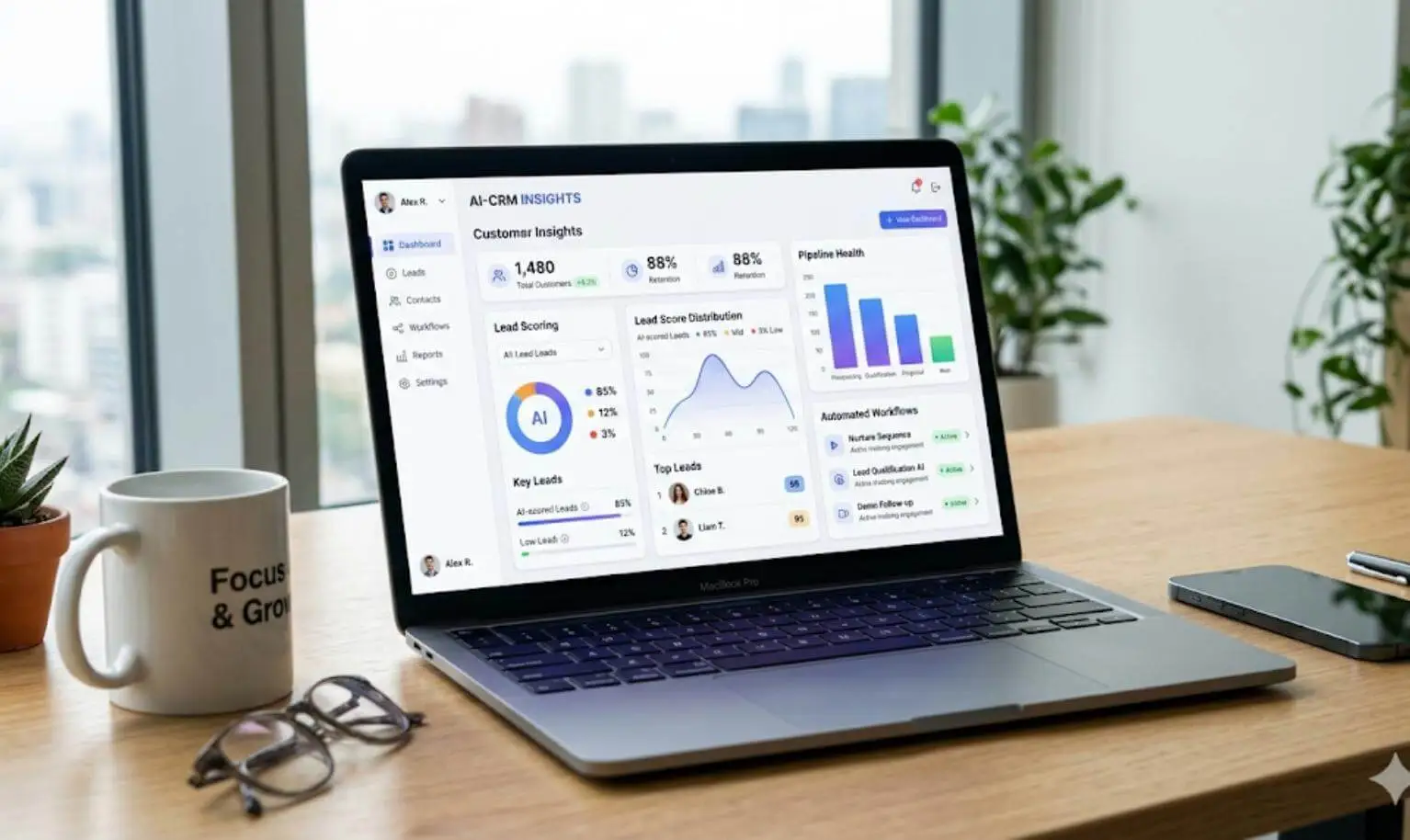
Managing customer relationships is one of the most important parts of running a successful business. Whether you operate a small service company, an e-commerce business, a consulting agency, or a growing startup, keeping track of customers, leads, sales activities, and follow-ups can quickly become difficult.
Many small businesses initially manage customer information using spreadsheets, email inboxes, or multiple disconnected applications. Although these tools may work when a business is small, they often create problems as the customer base and sales activities grow.
This is where a Customer Relationship Management (CRM) system becomes valuable.
A CRM system helps businesses organize customer information, manage sales pipelines, track communication, automate repetitive tasks, and make better business decisions.
However, one important question comes up before investing in CRM software:
How much does it cost to build a CRM system for a small business in 2026?
The answer depends on the features you need, the complexity of your business processes, the development team's location, and whether you choose a custom-built solution or an existing CRM platform.
In this guide, we will break down CRM development costs, essential features, technology choices, ongoing expenses, and practical ways to reduce your development budget.
1. How Much Does It Cost to Build a CRM System in 2026?
The cost of building a custom CRM system can range from a few thousand dollars for a focused MVP to hundreds of thousands of dollars for a complex business platform. If you are also evaluating broader application budgets, check out our guide on custom web application development costs.
For a small business, the most practical approach is usually to start with essential CRM functionality and expand the system as business requirements grow.
Here are indicative 2026 development budget ranges:
| CRM Type | Estimated Development Cost | Estimated Timeline |
|---|---|---|
| Basic CRM (MVP) | $15,000 – $40,000 | 2 – 4 months |
| Standard CRM | $40,000 – $100,000 | 3 – 6 months |
| Advanced CRM | $100,000 – $250,000+ | 6 – 12+ months |
Note: These are illustrative project-budget ranges in USD, not fixed market prices or guaranteed quotations. Actual costs can be lower or higher depending on the development team's rates, project scope, integrations, and quality requirements.
Basic CRM System: $15,000 – $40,000
A basic CRM is suitable for small businesses that need a centralized place to manage customer information and sales activities.
Typical features include:
- Customer and contact management
- Lead management
- Basic sales pipeline
- Notes and activity history
- Task management and reminders
- Basic dashboard and reporting
- User authentication
- Basic role-based permissions
For example, a small marketing agency with five sales representatives may need a simple CRM to store client information, track potential customers, schedule follow-ups, and monitor sales opportunities.
A basic CRM can solve these problems without requiring expensive automation or complex integrations.
Standard CRM System: $40,000 – $100,000
A standard CRM is suitable for growing businesses that need more advanced functionality and better control over their sales operations.
It may include everything in a basic CRM, along with:
- Custom sales pipelines
- Workflow automation
- Email integration
- Advanced reporting and analytics
- Multiple user roles and permissions
- Custom dashboards
- Third-party API integrations
- Data import and export
- Sales performance tracking
For example, a growing real estate agency may need separate sales pipelines, lead assignment, automated follow-up reminders, and reporting for different sales teams.
These requirements increase development time because the application needs more sophisticated business logic.
Advanced CRM System: $100,000 – $250,000+
An advanced CRM is designed for businesses with complex operational requirements.
It may include:
- Multiple departments and teams
- Advanced workflow automation
- Custom approval processes
- Customer and partner portals
- Accounting and ERP integrations
- Advanced analytics
- Mobile applications
- Multi-tenant architecture
- Advanced security and audit logging
- AI-powered lead scoring and recommendations
For example, a company operating in multiple countries may require different sales processes, access permissions, reporting structures, and integrations for each business unit.
These requirements make the architecture and development process considerably more complex.
2. What Factors Affect CRM Development Costs?
There is no universal price for custom CRM development. Two businesses may request a CRM system but receive completely different development estimates.
Understanding the following factors will help you prepare a realistic budget.
2.1 Feature Complexity
Features are among the biggest factors affecting CRM development costs.
A simple contact management module is relatively straightforward. However, an advanced workflow automation engine with conditional rules, notifications, and approval processes requires considerably more development effort.
For example:
- Adding customer information requires basic CRUD functionality.
- Managing leads requires assignment and status tracking.
- Automating follow-ups requires background jobs and notification logic.
- Advanced reporting requires data aggregation and visualization.
- AI-based recommendations require additional data processing and model integration.
The more complex your business requirements become, the more development time you should expect.
2.2 UI/UX Design
A CRM system should be easy for employees to use.
Poorly designed interfaces can make even a powerful CRM difficult to adopt. Developers may need to create dashboards, data tables, search interfaces, forms, charts, filters, and responsive layouts.
The design requirements depend on the number of user types and the complexity of the workflows.
A simple CRM dashboard will generally cost less than a system with separate interfaces for administrators, sales representatives, managers, and customers.
2.3 Frontend and Backend Development
A CRM system requires both frontend and backend development.
The frontend handles the user interface, including dashboards, forms, reports, and interactive components.
The backend handles:
- Business logic
- Database operations
- Authentication and authorization
- API development
- Data validation
- Workflow processing
- Notifications and background tasks
The architecture and functionality of these components directly influence the total development budget.
2.4 Third-Party Integrations
Most businesses already use different tools to manage their operations.
A CRM may need to communicate with:
- Email platforms such as Gmail and Outlook
- Payment gateways
- Accounting software
- Marketing automation platforms
- Communication services
- E-commerce platforms
- External business applications
Integrations can increase costs because each external system has its own API, authentication process, data structure, and limitations.
A simple one-way integration is usually easier than a complex two-way synchronization system.
2.5 Security and User Permissions
Customer information is valuable business data. A CRM should protect it from unauthorized access.
Depending on the project, security requirements may include:
- Role-based access control (RBAC)
- Secure authentication
- Password policies
- Data encryption
- Audit logs
- API access restrictions
- Backup and recovery procedures
- Data retention policies
Businesses operating in regulated industries may also need additional compliance-related controls.
2.6 Development Team Location and Experience
The development team's location can significantly influence the project budget.
Development rates vary between North America, Western Europe, Eastern Europe, and South Asia. However, choosing a developer based only on the lowest hourly rate can create additional costs through poor architecture, communication problems, or rework.
Consider the team's technical experience, communication, project management, testing practices, and previous work when comparing proposals.
3. Essential CRM Features for Small Businesses
You do not need to build every possible CRM feature from the beginning.
A small business should focus on functionality that solves its immediate customer management and sales problems.
Here are the essential features worth considering:
| Feature | Purpose | Priority |
|---|---|---|
| Contact management | Store customer information | Essential |
| Lead management | Track potential customers | Essential |
| Sales pipeline | Monitor sales opportunities | Essential |
| Task management | Schedule follow-ups | Essential |
| Activity history | Track customer interactions | Essential |
| Dashboard | Monitor business performance | Essential |
| User roles | Control access permissions | Essential |
| Email integration | Manage customer communication | Optional initially |
| Workflow automation | Automate repetitive processes | Phase 2 |
| Advanced reporting | Analyze sales performance | Phase 2 |
| Customer portal | Allow customers to access information | As needed |
Contact Management
Contact management allows businesses to store customer details in one centralized location.
Information may include customer names, email addresses, phone numbers, company details, addresses, notes, and communication history.
Lead Management
Lead management helps businesses track potential customers from their initial inquiry until they become paying clients.
A CRM can record where leads originate, who is responsible for them, and what actions need to happen next.
Sales Pipeline Management
A sales pipeline provides a visual representation of the sales process.
For example:
New Lead → Contacted → Qualified → Proposal Sent → Negotiation → Won / Lost
This allows business owners and sales managers to understand the status of potential deals at a glance.
Task Management and Reminders
Sales representatives often need to contact customers, send proposals, arrange meetings, and follow up on pending opportunities.
A CRM should allow users to create tasks, assign responsibilities, set deadlines, and receive reminders.
Reporting and Dashboards
A useful dashboard helps business owners understand important business metrics, such as:
- Total leads
- New customers
- Active opportunities
- Conversion rates
- Monthly sales
- Individual sales performance
These insights help businesses identify problems and improve their sales processes.
4. Custom CRM vs Off-the-Shelf CRM: Which Is More Affordable?
One of the most important decisions is whether to build a custom CRM or purchase an existing CRM subscription. For a deep-dive comparison of both options, read our dedicated guide on Custom CRM vs Off-the-Shelf CRM: Which Is Better for Small Businesses?. If you are weighing packaged tools against bespoke engineering more broadly, see our comparison on custom software development.
Popular ready-made CRM platforms include HubSpot, Salesforce, and Zoho CRM.
Each approach has advantages and disadvantages:
Comparison: Custom CRM vs Ready-Made CRM
| Consideration | Custom CRM | Ready-Made CRM |
|---|---|---|
| Initial investment | Higher | Lower |
| Monthly subscription | Not necessarily per user | Usually subscription-based |
| Customization | Extensive | Limited by platform and plan |
| Development time | Weeks or months | Often days |
| Data control | Greater architectural control | Depends on provider |
| Maintenance | Your responsibility | Mostly provider-managed |
| Scalability | Designed around requirements | Depends on subscription and platform |
| Integrations | Can be developed as needed | Depends on available integrations |
When Should You Choose an Existing CRM?
An existing CRM is generally a better option when:
- Your business has standard sales processes.
- You have a limited initial budget.
- You need a solution quickly.
- You do not require extensive customization.
- You prefer a provider to manage infrastructure and maintenance.
For example, a small consulting company with three sales representatives may find that an existing CRM provides everything it needs.
When Should You Build a Custom CRM?
Custom CRM development may make sense when:
- Your business has unique operational workflows.
- Existing CRM platforms cannot support your requirements.
- You need specialized integrations.
- You want greater control over your application's functionality.
- You have complex data access requirements.
- Your long-term subscription costs justify the initial development investment.
For example, a business with a specialized sales process may spend considerable time and money adapting an existing CRM. A custom application could provide a better fit.
My recommendation: Do not build a custom CRM simply because you want to own your software. Build one when your business requirements justify the investment.
5. Hidden Costs of Building a CRM System
The initial development budget is not the only expense you should consider.
After launching your CRM, you will need to maintain the application, manage infrastructure, and pay for certain third-party services.
Here are some common ongoing expenses:
| Expense | Estimated Cost |
|---|---|
| Cloud hosting | $50 – $300 / month |
| Database and storage | $20 – $150 / month |
| Email delivery service | $10 – $100 / month |
| Backup and monitoring | $10 – $50 / month |
| Security and maintenance | Varies by scope |
| Third-party API usage | Depends on usage |
| New features and improvements | Based on requirements |
Note: These are illustrative budgeting allowances for a relatively small application, not fixed provider prices. Infrastructure requirements will increase as your application grows.
Software Maintenance
Software maintenance is an important part of owning a custom CRM.
It includes:
- Fixing bugs
- Updating software dependencies
- Applying security patches
- Monitoring application performance
- Maintaining database performance
- Updating integrations when external APIs change
- Improving existing functionality
As an initial planning guideline, consider allocating around 15–20% of the original development cost annually for maintenance and ongoing improvements. The actual amount depends on the application's complexity and support agreement.
For example, if your CRM development investment is $30,000, you might initially allocate $4,500–$6,000 per year for maintenance.
Remember that this is a planning estimate, not a mandatory maintenance fee.
6. Recommended Technology Stack for CRM Development
Choosing the right technology stack is important for building a CRM that is maintainable, secure, and scalable.
You do not need the newest technology to build a successful CRM. You need technologies that fit your project requirements and can be maintained over time.
Here is one practical technology stack for custom CRM development:
Backend: Laravel
Laravel application development is an excellent option for building CRM backends.
It provides useful built-in features such as:
- Authentication and authorization
- Database migrations
- Eloquent ORM
- Queue management
- Task scheduling
- API development
- Event handling
- Background processing
These capabilities make Laravel suitable for developing business applications with complex workflows.
Frontend: React or Vue.js
React and Vue.js are both suitable choices for CRM frontend development.
They can be used to create interactive dashboards, dynamic forms, data tables, charts, and reusable UI components.
The choice depends on the development team's experience and the application's frontend requirements.
Database: MySQL or PostgreSQL
A CRM usually contains related information about customers, companies, leads, activities, deals, and users.
MySQL and PostgreSQL are both strong relational database options.
They support structured data, relationships, transactions, indexing, and reporting.
API Architecture
Building REST APIs can help separate the frontend and backend, allowing the CRM to integrate with mobile applications and external business systems.
For example, you can develop a Laravel backend that exposes APIs to a React or Vue.js frontend.
This architecture also makes it easier to introduce additional applications in the future.
Cloud Infrastructure
Depending on your requirements, you can deploy the CRM using cloud infrastructure such as AWS, DigitalOcean, or other hosting providers.
Consider:
- Server resources
- Database backups
- SSL certificates
- Application monitoring
- Deployment automation
- Disaster recovery
The infrastructure should be selected according to expected traffic, data volume, availability requirements, and budget.
7. How to Reduce CRM Development Costs
A limited budget does not mean you have to compromise the quality of your CRM.
The key is to make better development decisions and avoid unnecessary functionality.
Here are seven practical ways to reduce your CRM development costs:
1. Start With an MVP
An MVP (Minimum Viable Product) is the first usable version of your CRM.
Instead of building every feature immediately, focus on the functionality your business needs most.
For example, your first CRM version might include:
- Contact management
- Lead management
- Sales pipeline
- Task management
- Basic reporting
- User authentication
Once employees start using the application, you can identify which additional features would provide the most value.
2. Prioritize Features
Not every requested feature is equally important.
Separate requirements into three groups:
- Must-have features
- Important but non-essential features
- Future enhancements
This prevents the initial project from becoming unnecessarily complicated.
3. Use Proven Frameworks
Using established frameworks such as Laravel, React, and Vue.js can reduce development effort.
You do not need to build authentication, database management, API handling, and other common functionalities from scratch.
However, use established packages carefully and review their security and maintenance status.
4. Avoid Unnecessary Integrations
Every external integration adds development and maintenance responsibilities.
Start with the integrations that directly support your business operations.
For example, email integration may be essential, while a complex ERP integration may not be necessary during the first development phase.
5. Prepare Clear Requirements
Unclear requirements often lead to scope changes, additional development hours, and project delays.
Before starting development, prepare a document describing:
- Business objectives
- User roles
- Required features
- Workflows
- Integrations
- Reporting requirements
- Security expectations
A clear specification helps developers estimate the project more accurately.
6. Build in Phases
Instead of developing everything at once, divide the project into manageable phases:
| Phase | Development Scope |
|---|---|
| Phase 1 | Core CRM functionality |
| Phase 2 | Automation and notifications |
| Phase 3 | Advanced reporting |
| Phase 4 | Third-party integrations |
| Phase 5 | Advanced features and optimization |
This approach allows businesses to control spending and evaluate the application after each phase.
7. Choose the Right Development Team
Compare development teams based on their technical expertise, previous projects, communication, testing practices, and ability to understand business requirements.
A cheaper initial quotation is not necessarily the most affordable solution in the long run.
8. Is Custom CRM Development Worth It for a Small Business?
The answer depends on your business model, operational requirements, and long-term goals.
For some businesses, a ready-made CRM subscription is the most practical choice. For others, custom development can provide greater flexibility and control.
Consider the following scenarios:
Custom CRM May Be Worth Considering If:
- Your business has unique sales or customer management processes.
- You need integrations that existing platforms do not support adequately.
- You want a specialized CRM experience for employees or customers.
- Your current CRM creates operational limitations.
- You have a long-term plan to expand your software capabilities.
An Existing CRM May Be Better If:
- You have a small team.
- Your sales process is straightforward.
- You need standard contact and lead management.
- Your budget is limited.
- You want to start using a CRM immediately.
For example, a small service business with five employees may not need a custom CRM. A subscription-based solution could handle its requirements at a much lower initial investment.
On the other hand, a company with specialized business workflows, multiple departments, and complex integrations may benefit from a custom-built system.
The most important thing is to compare the total cost of ownership rather than looking only at the initial development price.
9. Step-by-Step CRM Development Process
If you decide to build a custom CRM, understanding the development process will help you plan your project.
A professional CRM development project generally follows these stages:
- Requirements Gathering: Identify business problems, user roles, workflows, features, and integration requirements.
- Planning and Architecture: Define the database structure, application architecture, technology stack, and development roadmap.
- UI/UX Design: Design dashboards, forms, customer profiles, sales pipelines, and other application interfaces.
- Frontend and Backend Development: Implement application functionality, APIs, database operations, authentication, and business logic.
- Testing and Quality Assurance: Test application functionality, security, performance, user permissions, and integrations.
- Deployment and Launch: Configure hosting, databases, backups, monitoring, and production deployment.
- Maintenance and Improvements: Monitor application performance, fix issues, and introduce additional functionality based on business needs.
A focused CRM MVP may take approximately 2–4 months, while a more advanced application can require considerably longer.
The timeline depends on the team size, scope, integration complexity, and how quickly business stakeholders provide feedback.
10. Conclusion: Invest in the Right CRM Solution for Your Business
Building a CRM system can be a valuable investment for a small business, but the right approach depends on your actual business requirements.
In 2026, a basic custom CRM may require an investment of approximately $15,000–$40,000, while more advanced systems can cost significantly more.
Before starting development, consider these important points:
- Identify the problems your business needs to solve.
- Determine which CRM features are essential.
- Compare custom development with existing CRM platforms.
- Prepare a realistic development and maintenance budget.
- Start with an MVP and expand gradually.
- Choose a development team that understands your business requirements.
You do not need an expensive, feature-packed CRM to improve your business operations. You need a solution that helps your team manage customers, improve productivity, and grow efficiently.
Need a Custom CRM System for Your Business?
If your business needs a custom CRM, customer management platform, or business automation application, working with an experienced development professional can help you turn your requirements into a practical software solution.
At Smarty Soft, we focus on web application development, custom software solutions, WordPress development, and business technology solutions.
👉 Have a CRM project in mind?
Contact me to discuss your requirements, or explore my Custom Laravel Web Application, SaaS & API services on Fiverr.
Frequently Asked Questions
A basic custom CRM may cost approximately $15,000–$40,000 in 2026, depending on the development team, features, and project requirements. A subscription-based CRM can be considerably cheaper initially.
A basic CRM MVP may take around 2–4 months. A standard CRM may require 3–6 months, while an advanced platform can take 6–12 months or longer.
Not necessarily. Salesforce and HubSpot are suitable for businesses with standard CRM requirements. A custom CRM may be a better option when a business needs specialized workflows, integrations, or functionality that existing platforms cannot provide efficiently.
Yes. A small business can develop a CRM around its specific requirements. However, it should evaluate the initial development investment, maintenance responsibilities, and long-term benefits before making the decision.
Using a free or affordable subscription-based CRM is usually the cheapest way to get started. Businesses can also consider open-source CRM platforms if they have the technical resources to install, configure, and maintain them.
A common planning allowance is approximately 15–20% of the original development cost annually. Actual maintenance costs depend on hosting requirements, security updates, integrations, bug fixes, and ongoing development needs.
Yes. A properly designed CRM can be expanded with additional modules, integrations, automation, reporting, and user permissions. Planning a scalable architecture from the beginning can make future improvements easier.