Custom CRM vs Off-the-Shelf CRM: Which Is Better for Small Businesses?
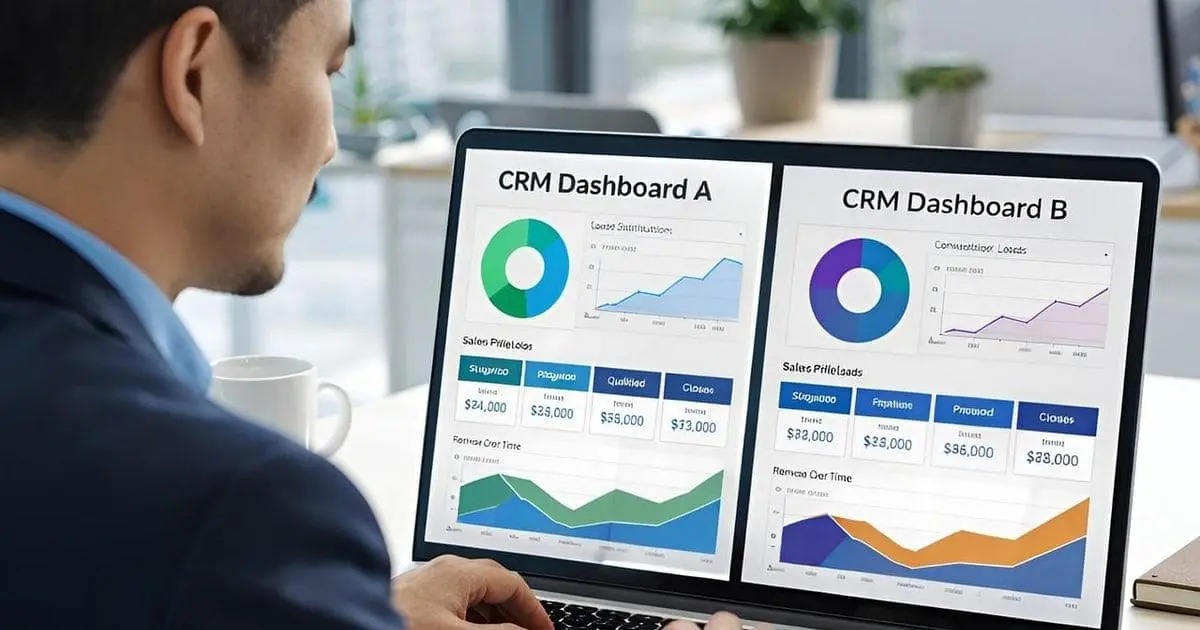
Managing customer relationships effectively is essential for every growing business. Whether you operate a small consulting agency, an e-commerce store, a real estate company, or a technology startup, keeping track of leads, customers, sales activities, and follow-ups can directly influence your business performance.
Many small businesses start with spreadsheets, email applications, and basic customer management tools. As the business grows, however, these disconnected tools can make it difficult to organize customer information, monitor sales activities, and maintain consistent communication.
A Customer Relationship Management (CRM) system solves many of these problems by bringing customer information and business activities into one centralized platform.
But choosing the right CRM is not always straightforward:
Should you purchase an existing CRM subscription, or should you invest in a custom CRM system designed specifically for your business?
Both options have advantages and disadvantages. Off-the-shelf CRM platforms are generally faster to implement and require less initial investment. Custom CRM development offers greater flexibility and control, but requires more planning, development time, and financial resources.
In this guide, we will compare custom CRM vs off-the-shelf CRM, explore their costs, features, scalability, and limitations, and help you determine which option makes the most sense for your small business in 2026.
1. What Is an Off-the-Shelf CRM?
An off-the-shelf CRM is a ready-made customer relationship management application developed for businesses with common customer management and sales requirements.
Instead of building software from scratch, businesses subscribe to an existing CRM platform and configure it according to their needs.
Popular examples include:
- HubSpot CRM: Provides contact management, sales pipelines, marketing tools, reporting, and automation features. It offers a free CRM option and paid plans.
- Salesforce: A comprehensive CRM platform offering sales management, customer service, automation, analytics, and extensive customization capabilities.
- Zoho CRM: Offers lead management, workflow automation, sales forecasting, reporting, and integrations with other business applications.
- Pipedrive: Focuses on sales pipeline management, deal tracking, sales activities, and helping sales teams organize opportunities.
How Does an Off-the-Shelf CRM Work?
Most ready-made CRM platforms follow a subscription-based model.
A business creates an account, selects a subscription plan, adds employees, and configures the available features.
Depending on the platform and subscription, users can typically:
- Store customer and company information
- Track leads and sales opportunities
- Manage sales pipelines
- Schedule tasks and follow-ups
- Monitor sales performance
- Automate selected business activities
- Integrate with external applications
The software provider manages the underlying infrastructure, software updates, and platform maintenance.
This makes off-the-shelf CRM an attractive option for businesses that want to start managing customers without investing in software development.
2. What Is a Custom CRM?
A custom CRM is a customer relationship management application developed specifically around the requirements, workflows, and operational processes of a particular business.
Instead of adapting your business processes to an existing CRM, you build software that supports the way your business actually operates. If you're weighing bespoke software against ready-made platforms more broadly, read our guide on custom web development.
A custom CRM can include basic contact management or become a comprehensive business management platform with multiple modules and integrations.
For example, a custom CRM for a real estate company might include:
- Property and customer management
- Lead assignment to sales agents
- Property viewing schedules
- Follow-up reminders
- Sales commission tracking
- Customer communication history
- Custom sales reports
- Integration with property listing applications
A generic CRM may support some of these requirements, but specialized workflows might require additional configuration, paid extensions, or custom development.
How Does Custom CRM Development Work?
A typical custom CRM project involves several stages:
- Requirements gathering and business analysis
- Database and application architecture planning
- UI/UX design
- Frontend and backend development
- Third-party integrations
- Testing and quality assurance
- Deployment and ongoing maintenance
When choosing the right technology stack, many businesses use frameworks like Laravel, React, Vue.js, and MySQL or PostgreSQL. The resulting application can be hosted on cloud infrastructure or other environments according to the business's technical and operational requirements.
Unlike a subscription-based CRM, the business has much greater control over the application's functionality and development roadmap. However, ownership, intellectual property, source-code rights, hosting, and licensing must be clearly defined in the development agreement.
3. Custom CRM vs Off-the-Shelf CRM: Key Differences
Although both solutions help businesses manage customer relationships, they differ significantly in how they are developed, customized, maintained, and priced.
Let's compare the most important factors.
3.1 Initial Development Cost
One of the biggest differences is the initial investment. For a complete breakdown of budgets, see our detailed guide on CRM development cost.
With an off-the-shelf CRM, you generally pay a subscription fee rather than a large upfront development cost. Some platforms also provide free plans for businesses with basic requirements.
With a custom CRM, you need to invest in requirements analysis, design, development, testing, and deployment.
Here is an illustrative comparison:
| Solution | Initial Investment |
|---|---|
| Free CRM plan | $0 |
| Paid off-the-shelf CRM | Usually no major development investment |
| Basic custom CRM | $15,000 – $40,000 |
| Standard custom CRM | $40,000 – $100,000 |
| Advanced custom CRM | $100,000+ |
Note: The custom development figures are indicative planning estimates, not fixed industry prices.
- Winner: Off-the-shelf CRM for businesses with limited initial budgets.
3.2 Customization and Flexibility
Ready-made CRM platforms provide configuration options such as custom fields, sales pipelines, workflows, dashboards, and integrations.
However, customization is often limited by the platform's features and subscription plan.
For example, your business may need a unique approval process involving multiple departments. An existing CRM might not support that exact workflow without workarounds, additional applications, or custom development.
A custom CRM can be designed around these specific requirements. You can decide:
-
Which modules the application needs
-
How customer information is organized
-
How sales workflows operate
-
Which users can access particular information
-
How notifications and automation work
-
Which external systems should be integrated
-
Winner: Custom CRM when your business has specialized workflows and operational requirements.
3.3 Implementation Time
An off-the-shelf CRM can often be configured and introduced within days or weeks, depending on data migration, integrations, and employee training.
Custom CRM development takes longer because the application needs to be planned, designed, developed, and tested:
| Implementation Stage | Off-the-Shelf CRM | Custom CRM |
|---|---|---|
| Account setup | Hours to days | Not applicable |
| Configuration | Days to weeks | Part of development |
| Custom functionality | Depends on platform | Requires development |
| Data migration | Depends on complexity | Depends on complexity |
| Testing | Configuration and workflow testing | Full application testing |
| Deployment | Usually quick | After development and QA |
- Winner: Off-the-shelf CRM for businesses that need a solution quickly.
3.4 Scalability
Both custom and ready-made CRM solutions can support growing businesses, but they approach scalability differently.
Off-the-shelf CRM platforms provide predefined plans, features, user limits, and infrastructure. As your business grows, you may need to upgrade your subscription or purchase additional functionality.
A custom CRM can be designed to support your expected growth from the beginning—using similar principles to building scalable SaaS applications. You can introduce additional modules, users, integrations, and business workflows as requirements change.
However, custom development does not automatically guarantee scalability. Poor database design, inefficient queries, and inadequate infrastructure planning can create performance problems.
- Winner: It depends. Existing CRM platforms are convenient for predictable growth, while custom CRM can offer more control when business processes become increasingly specialized.
3.5 Integration With Other Business Applications
Integrations allow your CRM to communicate with other tools used by your business.
For example, a CRM might need to connect with:
- Email marketing applications
- Accounting software
- Payment gateways
- E-commerce platforms
- Customer support systems
- Inventory management applications
Off-the-shelf CRM platforms often provide existing integrations or marketplace extensions. This can save considerable development time.
Custom CRM development—often powered by building REST APIs—allows you to build integrations around your specific requirements, including internal applications that do not have publicly available connectors. However, custom integrations require development, testing, and ongoing maintenance.
- Winner: Off-the-shelf CRM for common integrations; Custom CRM for specialized integration requirements.
3.6 Data Ownership and Control
Customer information is one of the most valuable assets of a business.
With a ready-made CRM, customer data is generally stored within the provider's infrastructure. You rely on the provider's data access, export, backup, security, and retention policies.
A custom CRM gives your business more control over the application architecture, database, hosting environment, and data management practices.
However, greater control also means greater responsibility for security, backups, access management, and compliance. Remember that using a custom CRM does not automatically make your application more secure; security depends on implementation and ongoing management.
- Winner: Custom CRM for businesses requiring greater control over their data infrastructure.
3.7 Maintenance and Support
Off-the-shelf CRM providers generally manage software updates, infrastructure, and platform maintenance. Your business still needs to manage account settings, user permissions, integrations, and internal configuration.
With a custom CRM, your business is responsible for maintaining the application or hiring a development team to provide ongoing support. This includes security updates, bug fixes, database optimization, backups, and feature improvements.
- Winner: Off-the-shelf CRM for businesses that do not want to manage software maintenance.
3.8 Long-Term Cost
The initial price does not tell the complete story.
A subscription-based CRM may appear inexpensive, but the total cost can increase as you add employees, upgrade plans, purchase add-ons, or require additional services.
A custom CRM requires a larger initial investment, but its long-term economics may be more attractive for businesses with stable, specialized requirements and many users.
To make the right decision, compare the total cost of ownership (TCO) over three to five years.
- Winner: It depends on the number of users, subscription requirements, customization needs, and maintenance costs.
4. Custom CRM vs Off-the-Shelf CRM: Cost Comparison
Cost is often the deciding factor for small businesses. Let's look at how the two approaches compare financially.
Off-the-Shelf CRM Pricing
Many established CRM providers offer free or paid subscription plans.
For example, the following are publicly displayed starting prices on official pricing pages (in USD, subject to change based on billing frequency, location, taxes, and plan conditions):
| CRM Platform | Example Starting Price |
|---|---|
| HubSpot CRM | Free plan for up to 2 users |
| Salesforce Starter Suite | $25 / user / month |
| Zoho CRM Standard | $14 / user / month |
| Pipedrive Lite | $14 / user / month (billed annually) |
Sources: Official HubSpot pricing, Salesforce pricing, Zoho CRM pricing, and Pipedrive pricing.
These are entry-level examples, not equivalent feature packages. More advanced functionality may require higher subscription plans.
Example: CRM Subscription Cost for a Small Business
Imagine a small business with 10 employees who need access to a CRM.
If you choose a subscription costing $25 per user per month, your estimated subscription expense would be:
- Monthly expense:
10 users × $25 = $250 / month - Annual expense:
$250 × 12 = $3,000 / year - Three-year expense:
$250 × 36 = $9,000
Note: This calculation excludes taxes, implementation, add-ons, additional services, and future price changes.
Custom CRM Development Cost
Now consider a business that invests $30,000 to develop a custom CRM (for broader software budgeting benchmarks, see our guide on custom web application development).
Assume it also spends $5,000 annually on hosting, maintenance, and ongoing improvements. Its three-year estimated cost would be:
| Expense | Cost |
|---|---|
| Initial development | $30,000 |
| Year 1 maintenance and operations | $5,000 |
| Year 2 maintenance and operations | $5,000 |
| Year 3 maintenance and operations | $5,000 |
| Total (3-Year TCO) | $45,000 |
In this example, the custom CRM costs significantly more than the subscription option over three years.
However, the comparison does not mean that custom development is a poor investment. The business may gain specialized workflows, greater control, and functionality that would otherwise require expensive enterprise subscriptions, complex integrations, or manual processes.
Which Option Is Cheaper in the Long Run?
There is no universal answer:
- A small business with 5 employees and standard sales requirements will probably spend less using an existing CRM.
- A larger business with 50 or 100 employees, specialized workflows, and extensive customization requirements may find that custom development becomes more attractive over time.
The correct comparison should include all relevant expenses, not just the monthly subscription or initial development price.
5. When Should a Small Business Choose an Off-the-Shelf CRM?
An off-the-shelf CRM is often the most practical solution for small businesses that want to improve customer management without investing heavily in software development.
Consider choosing a ready-made CRM if:
1. You Have Standard Business Processes
If your business mainly needs contact management, lead tracking, sales pipelines, and follow-up reminders, an existing CRM will probably provide the functionality you need. There is little reason to spend thousands of dollars developing features that are already available.
2. You Have a Limited Development Budget
Startups and small businesses often need to prioritize spending. An existing CRM allows you to access customer management functionality through a monthly subscription rather than making a large upfront investment.
3. You Need to Launch Quickly
If your sales team needs a CRM immediately, a ready-made platform can be configured much faster than developing a new application.
4. You Do Not Have Technical Resources
Maintaining a custom CRM requires technical knowledge or an ongoing relationship with a software development team. An existing CRM provider handles most platform-level maintenance, allowing your team to focus on business operations.
5. You Are Still Validating Your Business Processes
If you are unsure how your sales team should manage leads and customers, start with an existing CRM. You can learn from real usage, identify limitations, and decide whether custom development is justified later.
6. When Should a Small Business Choose a Custom CRM?
Custom CRM development becomes more attractive when your business has requirements that existing platforms cannot handle efficiently.
Here are some situations where investing in custom software may be worthwhile:
1. Your Business Has Unique Workflows
Every business operates differently. For example, a training company may need to manage:
- Student inquiries
- Course registrations
- Corporate training clients
- Training schedules
- Payment records
- Certificates
- Student communication
A standard sales CRM may not provide all these functions in the way the business requires. A custom CRM can bring these workflows together in one application.
2. You Need Specialized Integrations
Suppose your business already uses an internal accounting application, inventory system, or order management platform. If the CRM needs to exchange information with these applications in a specialized way, custom development may provide more flexibility.
3. Existing CRM Platforms Are Becoming Expensive
As your business grows, you may need additional users, premium features, automation, and integrations. Subscription costs can increase significantly.
If you are spending a substantial amount on CRM subscriptions and custom extensions, it may be worth evaluating the cost of developing your own application. However, do not compare subscription costs alone—include development, infrastructure, maintenance, and support expenses.
4. You Want to Develop a Specialized Business Platform
Sometimes a business needs more than a traditional CRM. You might want to combine customer management with:
- Project management
- Employee management
- Invoicing
- Inventory management
- Customer support
- Business analytics
In this situation, a custom business management application may be more appropriate than adapting a traditional CRM.
5. You Need Greater Control Over Your Application
A custom CRM gives you more freedom to decide how the application works, how data is structured, and how new functionality is introduced. This can be particularly valuable when your business has specialized security, data management, or operational requirements.
7. Can You Start With an Off-the-Shelf CRM and Move to a Custom CRM Later?
Absolutely. In fact, this can be a sensible strategy for many small businesses.
You do not need to make a permanent decision about your CRM architecture when your business is still growing. You can start with an existing platform, understand your actual requirements, and invest in custom development when the business reaches a point where the existing solution becomes limiting.
A Practical 5-Stage CRM Growth Strategy
- Stage 1 — Start With an Existing CRM: Use a free or affordable CRM subscription to manage contacts, leads, and sales activities.
- Stage 2 — Identify Business Limitations: Track missing functionality, manual processes, integration problems, and increasing subscription expenses.
- Stage 3 — Evaluate Custom Development: Prepare a requirements document and compare the cost of customization against developing a dedicated application.
- Stage 4 — Develop a Custom CRM MVP: Build the essential modules first, including contact management, lead tracking, sales pipelines, and reporting.
- Stage 5 — Migrate and Expand: Import customer information, validate data, train employees, and gradually introduce additional functionality.
Important tip on data migration: Before selecting an off-the-shelf CRM, check whether it supports exporting your customer information in a usable format. Also review API availability, export limitations, attachment handling, and ownership of your business data. Planning for data portability early can make a future migration significantly easier.
8. How to Choose the Right CRM for Your Business
Before making a decision, evaluate your business requirements rather than choosing a CRM simply because it is popular.
Here are seven important questions to consider:
- How many employees will use the CRM? The number of users directly affects subscription costs and access management requirements.
- What problems are you trying to solve? Identify whether you need contact management, sales tracking, customer support, automation, or a combination of these functions.
- Do you have specialized business workflows? If your business follows standard sales processes, an existing CRM may be sufficient. Unique workflows may justify custom development.
- What is your available budget? Consider both initial investment and long-term operating costs.
- What applications need to communicate with your CRM? List your existing business applications and identify the required integrations.
- How important is customization? Determine whether configuration options are sufficient or whether you need functionality specifically developed around your business.
- Who will maintain the system? With an existing CRM, the provider manages the platform. With a custom CRM, your business needs a maintenance and support plan.
Quick CRM Decision Checklist
| Question | If Mostly "Yes" (Questions 1–3) | If Mostly "Yes" (Questions 4–6) |
|---|---|---|
| 1. Do you need a CRM immediately? | Off-the-Shelf CRM | — |
| 2. Are your sales and customer workflows fairly standard? | Off-the-Shelf CRM | — |
| 3. Do you have a limited initial software budget? | Off-the-Shelf CRM | — |
| 4. Do you require highly specialized business workflows? | — | Custom CRM |
| 5. Do you need integrations with proprietary internal applications? | — | Custom CRM |
| 6. Do you need control over the application architecture and hosting? | — | Custom CRM |
This checklist is a starting point, not a substitute for a detailed business and cost analysis.
9. Conclusion: Choose a CRM That Supports Your Business Growth
Choosing between a custom CRM and an off-the-shelf CRM is an important decision for a small business.
Both options can improve customer management, sales operations, and business productivity. The right choice depends on your requirements, budget, team size, and long-term business strategy.
- If your business has standard customer management requirements and needs an affordable solution, an existing CRM subscription is probably the best starting point.
- However, if your business has specialized workflows, complex integrations, or requirements that existing CRM platforms cannot support efficiently, custom CRM development may be a worthwhile investment.
My recommendation is simple: Start with your business requirements, not the technology.
Do not invest in custom software just because it sounds more professional, and do not choose a subscription-based platform simply because it is cheaper initially. Choose the solution that provides the best long-term value for your business.
Need a Custom CRM or Business Management Application?
If your business has outgrown existing CRM software or needs a specialized customer management solution, a custom application may help streamline your operations.
At Smarty Soft, we focus on custom web application development, business software, SaaS solutions, and WordPress development.
Whether you need a custom CRM, an internal business management system, or an application integrated with your existing tools, the first step is understanding your requirements.
👉 Have a software project in mind?
Contact me to discuss your business requirements, or explore my Custom Laravel Web Application, SaaS & API services on Fiverr.
Frequently Asked Questions
Not always. A custom CRM is better when your business needs specialized workflows, integrations, and greater control over functionality. An off-the-shelf CRM is generally better when your requirements are standard and you want a lower-cost, faster solution.
A basic custom CRM MVP may cost approximately $15,000–$40,000, while standard and advanced systems can cost considerably more. The final price depends on features, integrations, architecture, development location, and project complexity.
There is no single best CRM for every business. HubSpot, Zoho CRM, Salesforce, and Pipedrive are worth evaluating. The right choice depends on your budget, team size, sales process, and required features.
Yes. Laravel is a suitable backend framework for developing custom CRM applications. It provides database management, authentication, authorization, API development, queues, and other capabilities useful for business software.
Open-source CRM software can be a good option for businesses that have technical resources to install, configure, customize, and maintain the application. However, hosting, security, support, and customization still involve costs.
Yes. Many CRM platforms provide custom fields, workflows, dashboards, APIs, and integrations. The extent of customization depends on the provider and subscription plan.
Consider switching when your existing CRM consistently limits important business processes, requires expensive customization, or creates operational inefficiencies that justify the cost of developing and maintaining a dedicated application.
Not necessarily. You may not need to pay a per-user CRM subscription to a software vendor, but you will still have expenses such as hosting, backups, maintenance, monitoring, and third-party services.